 SquidNet
Submit from inside the app.
Run the farm from the browser.
SquidNet is a render farm and distributed computing manager, in production for more than ten years. It spreads rendering and other compute-heavy jobs across the machines you already have, adds cloud nodes when the farm runs out of room, and runs on Windows, macOS and Linux.
Trusted by studios, schools and commercial render farms, including
 Drop & Render and
 Render4You.
Beta registration is open. Builds are provided to registered users when the beta starts.
The SquidNet Portal we are building
These are design mockups of the new SquidNet Portal, not screenshots of shipping software. Details will change before release.
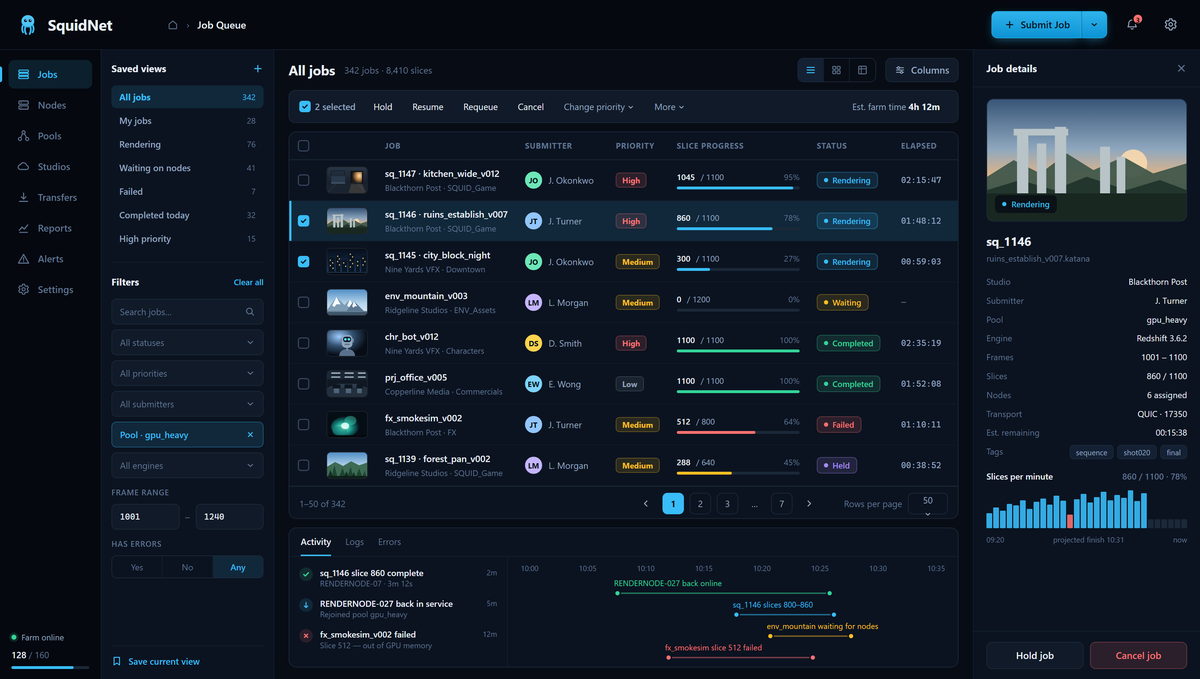
Job Queue
Every job on the farm in one list — state, progress, pool, engine and node count, with a live inspector alongside.
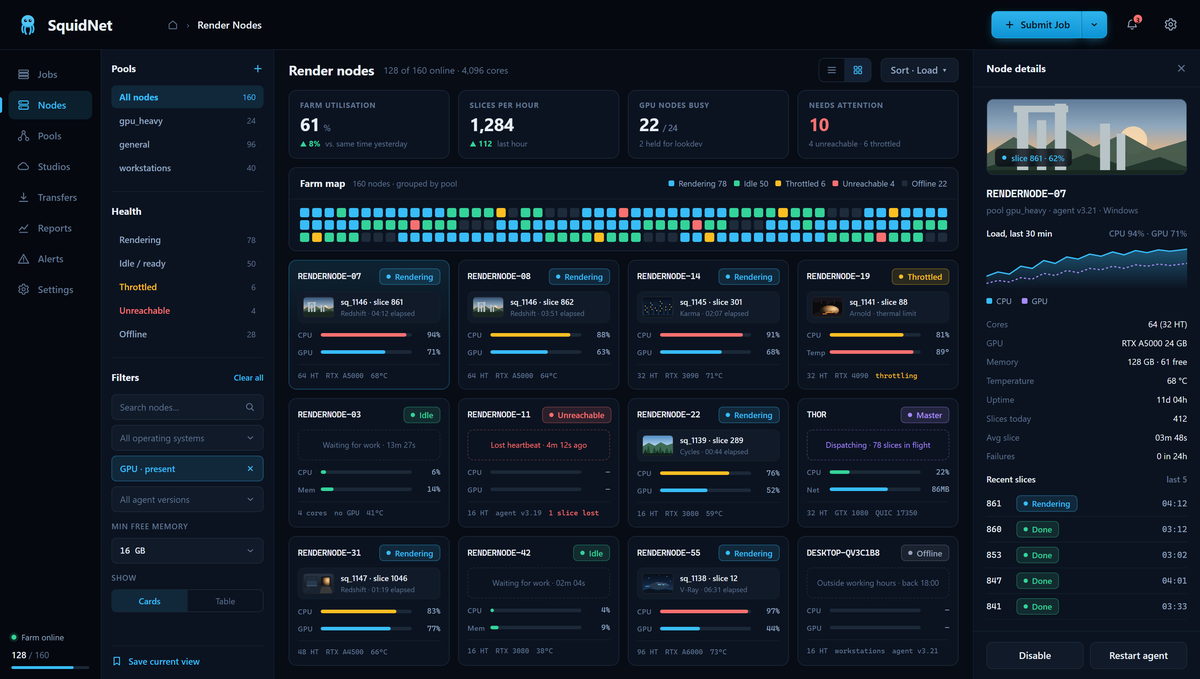
Render Nodes
Farm map, per-node CPU and GPU load, and the exact slice each machine is working on right now.
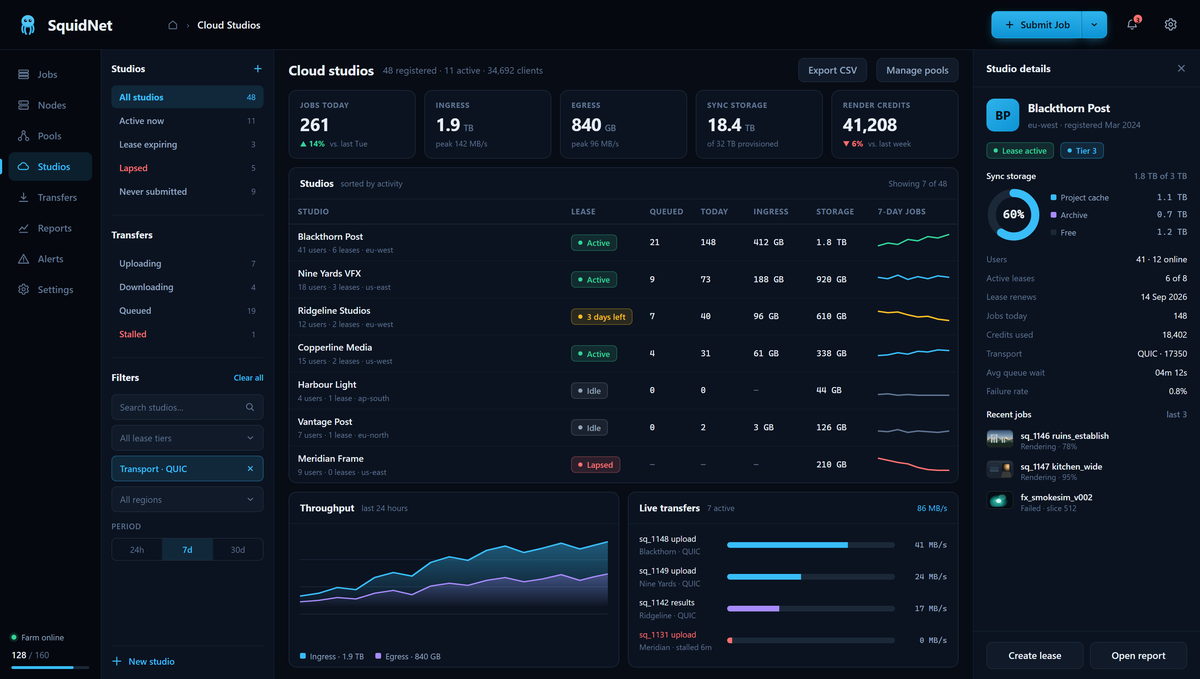
Cloud Studios
Multi-tenant control: leases, sync storage, render credits and live ingress and egress for every studio.
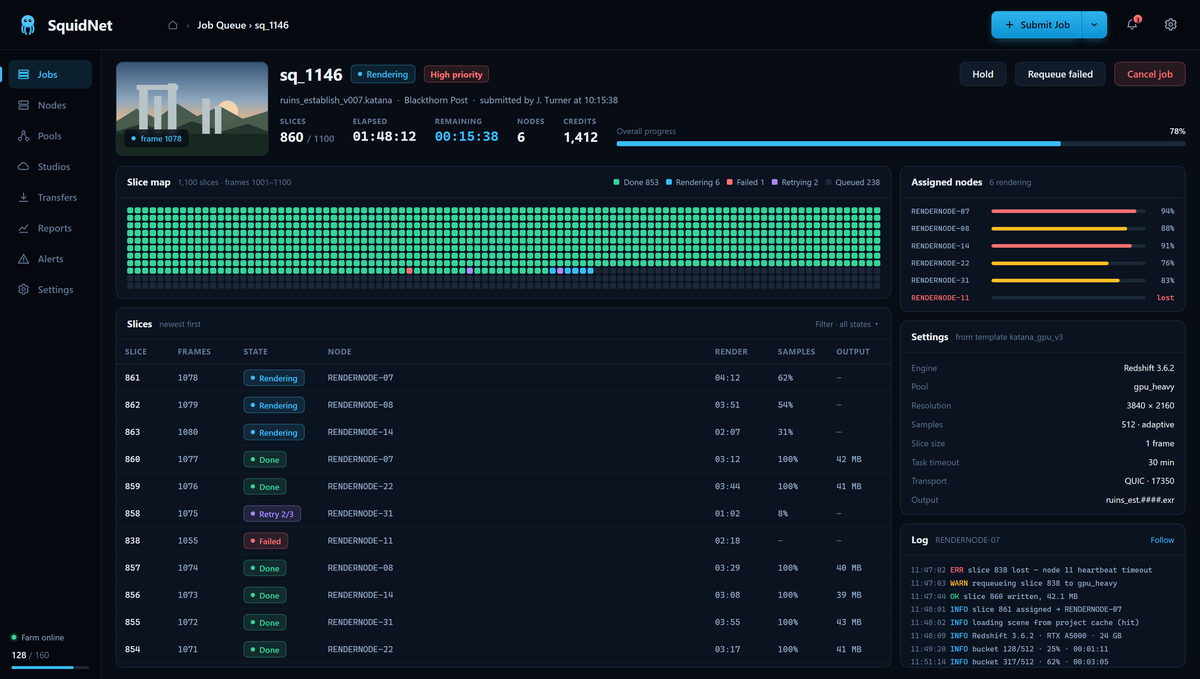
Job Detail
1,100 slices across six nodes — slice map, per-slice state, assigned nodes and streaming render logs.
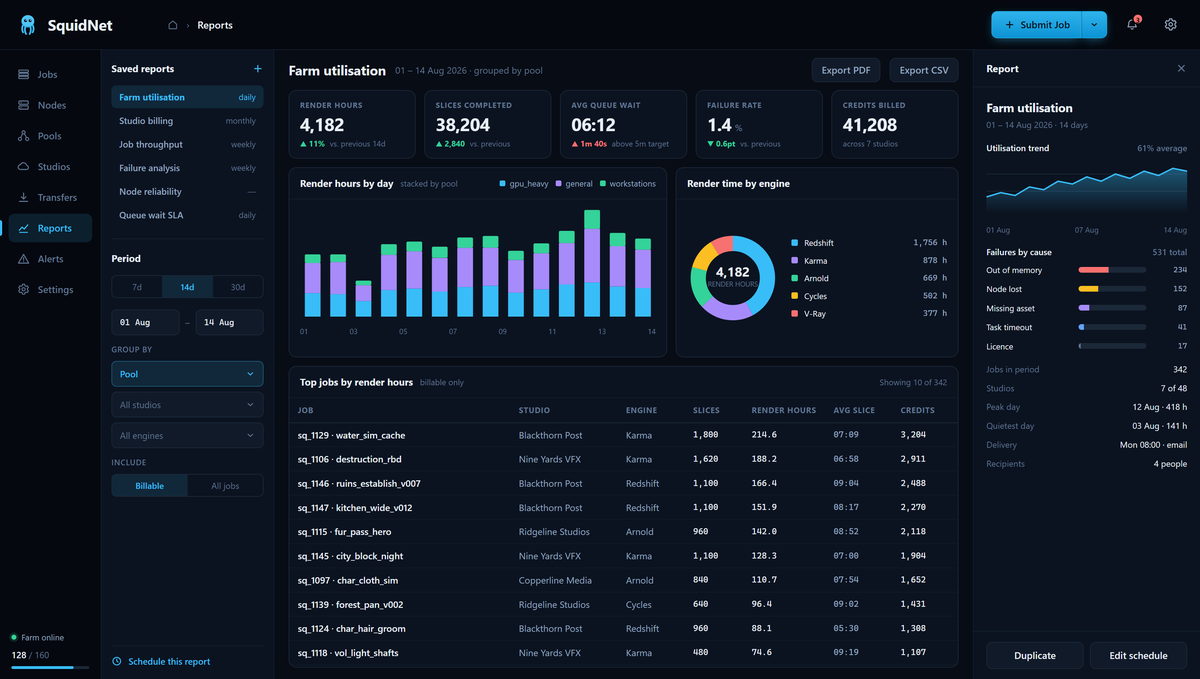
Reports
Render hours, slices completed, queue wait and failure rate, grouped by pool, studio or engine.
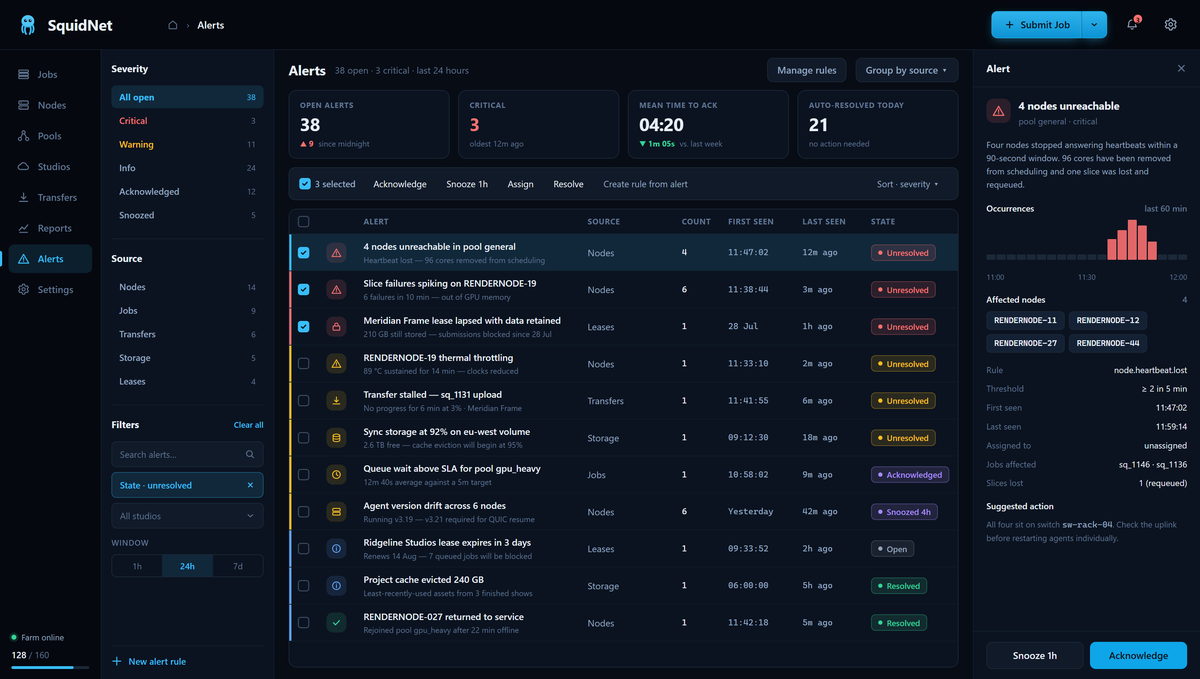
Alerts
Unreachable nodes, thermal throttling, stalled transfers and lapsed leases — with rules and suggested actions.
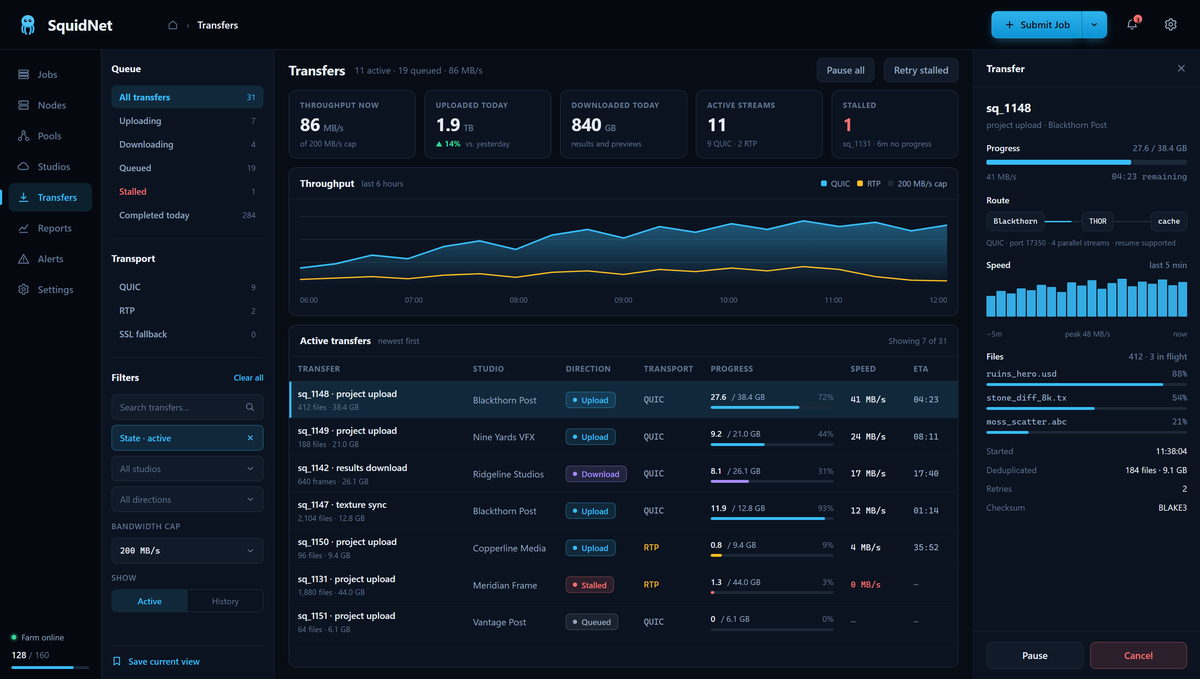
Transfers
QUIC and RTP transfers with throughput history, per-file progress, deduplication and checksums.
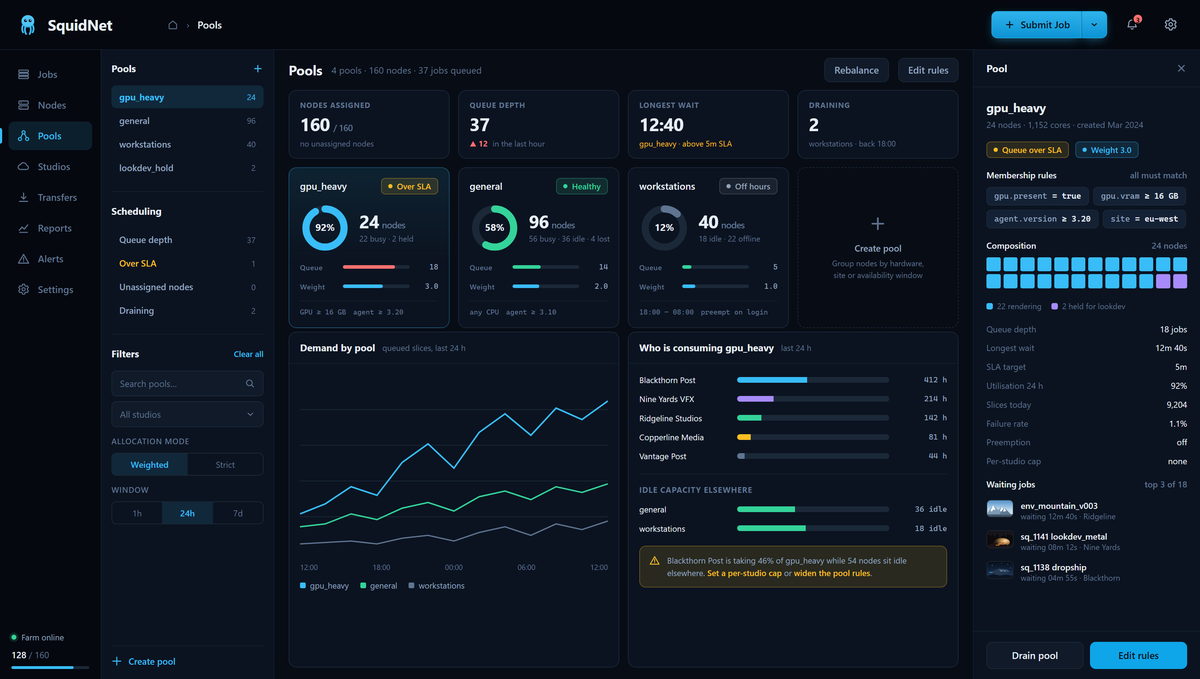
Pools
Pool health against SLA, membership rules, demand over time, and exactly who is consuming capacity.
Who it is for
Built for rendering at every scale
The same software runs a small studio's handful of machines, a large studio's dedicated farm, a commercial render service hosting many client studios, and a university's teaching labs.
Studios of every size
Artists submit from their creative applications, while pipeline and IT teams manage pools, priorities and shared render machines from one place.
Render farm services
Serve many client studios from one multi-tenant farm, each with its own leases, render credits and storage.
Schools and universities
Give students a job-submission workflow, and instructors and lab administrators visibility into the rendering queue.
The next release
Three ways to submit jobs
What changes in the next release
The Cloud UI and Streamer desktop applications are retiring. In their place: in-application plug-ins built on SquidNet's new REST API, a new Transfer Agent for uploads and downloads, and the new SquidNet Portal for render farm admins and users.
Cloud UI and Streamer
Both desktop applications are deprecated in the next release. Their work moves to the plug-ins, the Transfer Agent and the Portal.
In-application plug-ins
Submit to SquidNet from a menu inside the application you are already in. The plug-ins talk to the farm through the new REST API.
Transfer Agent
Handles uploads and downloads in the background: projects up to the farm, finished frames back to the workstation.
SquidNet Portal
Render farm admins run the farm, and users submit, track and download their jobs, from any browser.
Help shape the next SquidNet — with free beta licensing
We are looking for studios, schools and render farms to try the new plug-ins, Transfer Agent and Portal on their own farms and scenes, and to tell us what breaks. Beta users pay nothing for SquidNet licensing until the new workflow is ready for production jobs.
Beta builds are for testing, not deadline work. Keep your current setup for production until we announce the new workflow is ready.
What you get
- Free SquidNet licensing for the whole beta, until the workflow is ready for real jobs
- Early builds of the plug-ins, Transfer Agent and Portal as each piece lands
- A say in the design: your bug reports and requests go straight to the people building it
What we ask
- Try it on your own scenes, as test renders on your farm rather than deadline work
- Tell us what breaks: bugs, confusing screens and anything missing from your workflow
- Keep in touch and answer the occasional question as the interface takes shape
What SquidNet does today
Introduction
SquidNet is a complete render farm and distributed computing manager. Scheduling, distribution, cloud bursting, live preview and multi-tenant management all ship in one install, SquidNet's own application plug-ins included — no third-party glue holding the pipeline together.
Artists submit straight from the application they are already in. The scheduler splits the work into slices and places them across your nodes using memory, GPU and benchmark data, so the right machines get the right work. Finished frames come back to the workstation as they complete, rather than after the whole job lands.
When the farm runs out of room, cloud nodes on AWS, Azure, Google Cloud or OpenStack join automatically, render their share and shut down again. Studios, users and pools stay isolated behind role-based access and encrypted transport, so one installation can serve a single team or a commercial render service.
It runs as a Windows service, on macOS, and on Linux under systemd or as a daemon.
Build your own tools
The REST API is the whole product, over HTTP
Every command the SquidNet command line accepts is also an HTTP route. Sign in, submit, watch, fetch results — JSON in, JSON out, a session cookie for authentication, and no SDK to install. If your language can make an HTTP request, it can drive the farm.
- Submit and control jobs — hold, resume, requeue and cancel, exactly as the desktop client does
- Read farm state — jobs, slices, pools, nodes, studios and leases, ready to render in your own dashboard
-
Discover options at run time —
GET /api/v1/ccl/optionsreturns the full schema for any template, so your interface can build its own forms instead of hard-coding fields that will change - Any language, any surface — a studio submit panel in Python or C#, a browser dashboard in JavaScript, a pipeline hook in PowerShell
A complete working submit client ships with SquidNet, written in nothing but
curl and a shell script — because that is genuinely all it takes.
# 1 — sign in. The cookie is your session.
curl -c jar -X POST https://farm/api/v1/session \
     -d '{"username":"artist","password":"…"}'

# 2 — submit. Returns a queue id, and a
#     folder to put the project in.
curl -b jar -X POST https://farm/api/v1/ccl/commands \
     -d '{"options":{"submitJob":true,
                     "template":"blender",
                     "sceneFile":"/BMW27GE.blend",
                     "startFrame":1,"endFrame":250}}'

# 3 — the project has arrived. Queue it.
curl -b jar -X POST \
     https://farm/api/v1/ccl/jobs/1146/upload-complete
Every application is a folder of Python you can edit
Behind each supported application is a small plugin folder: a
scene_tools.json manifest and the Python wrappers it names. Nothing is
compiled in and nothing is hidden. Copy a built-in folder, change what you need, and
the farm runs your version instead of ours — or write a new folder from scratch, for
an in-house tool or a renderer nobody supports yet.
-
Three operations, one shape —
analyzecollects a scene's dependencies,repathrewrites them for the farm,renderruns the frames. Each is a script that reads one JSON request and writes the files the manifest declares -
The command line is data — the manifest carries the exact command, with
{tool},{scenePath}and{requestJson}filled in at run time. Add a renderer flag or point an operation at a different executable without touching a line of code -
Your changes survive updates — mark a folder
"isUserCustom": trueand the updater leaves it alone. A folder with no manifest at all is never touched - One folder, every machine — the same wrapper runs at submit time on your workstation and server-side on the farm, with the executable resolved per platform for Windows, Linux and macOS
Eighteen applications ship with a folder already — Maya, 3ds Max, Blender, Houdini, Katana, Nuke, Unreal Engine and the rest. They are working, readable code, and the reference for whatever you write next.
// plugins/LOCAL/blender/scene_tools.json
{
  "isUserCustom": true,        // updates skip this folder
  "tools": {
    "render": {
      "wrapper": "blender_render.py",
      "executable": { "source": "appProfileInstallPath" },
      "command":
        "{tool} -b {scenePath} --python {wrapper}"
    }
  }
}

# plugins/LOCAL/blender/blender_render.py
# Read the request, do the work, write the status.
request = read_request()      # --request <request.json>

# ... your pipeline here: layers, AOVs, overrides,
#     output naming, publish — anything the
#     application's own Python can do.

json.dump({"operation": request["operation"],
           "state": "complete", "exitCode": 0},
          open(request["paths"]["statusPath"], "w"))
Everything included
SquidNet features
Every item below is part of a standard SquidNet installation. Nothing here is a paid add-on.
Getting work onto the farm
- Submit from inside the appPlugins put a submit button in Maya, Blender, Houdini, 3ds Max, Cinema 4D and twenty more — no leaving the viewport
- Command lineDrive the whole farm from a shell, a pipeline script or a scheduled task
- JSON REST APIEvery command the CLI accepts is also an HTTP route, for building your own tools
- Web portalSubmit, track and manage the whole farm from any browser, with nothing installed on the machine
- Job templatesPer-application forms with camera and pass selection, and mandatory fields checked before anything is queued
- Option scriptsDescribe many jobs in one file; every job is validated before any of them submit
- Take listsFan one scene out into separate jobs per take, each tracked on its own
- Generic CLI executorAnything with a command line becomes a distributed job, renderer or not
Job control and scheduling
- Advanced job queueUp to 5,000 slices per job across eight state transitions, with conditional logic
- 25 priority levelsFine-grained ordering across every job on the farm
- Dependency chainsLink jobs together with on-condition profiles and event triggers
- Templates and profilesPer-application templates with camera and pass selection, plus mandatory-field validation
- Named poolsGroup nodes by hardware, site or availability window, each with its own scheduling policy
- Push and pull distributionServer-push or node-pull, whichever suits the network
- Memory-aware schedulingAutomatic requeue when a node drops below its low-memory threshold
- Auto-discoveryUDP broadcast finds new nodes without any manual setup
- Scripting and scheduled tasksScript Manager, environment variables, and tasks that run on a schedule
Rendering power
- CPU renderingMulti-core affinity, process priority and per-node core limits
- GPU accelerationNVIDIA and AMD detection, GPU-per-slice allocation and multi-GPU nodes
- Tile renderingUp to 1,000 tiles per frame with automatic crop and stitch
- Cooperative renderingSeveral nodes working the same frame at the same time
- BenchmarkingCinebench, Octane, V-Ray and custom CPU benchmarks feed routing decisions
- Power managementWake-on-LAN, IPMI, reboot, shutdown and idle-time rendering
- Real-time previewFrames stream to the desktop as they finish, with zoom, pan and frame-by-frame navigation
- Video generationMP4, MKV and MOV output at 10–120 fps with GPU-accelerated encoding
Cloud and data movement
- Hybrid cloudAWS, Google Cloud, Azure and OpenStack nodes join the farm on demand and disappear when the work is done
- Cloud BridgeSeamless bridging of jobs between the local farm and the cloud
- Credits and leasingCredit-based billing, low-balance alerts and VM leases of up to 365 days
- Scene analysisPre-render dependency and issue detection, before anything is uploaded
- Transfer queueCompression and progress tracking over FTP, SFTP, HTTP and QUIC
- High-speed WAN transferAspera and FileCatalyst integrations for long-haul links
- Smart SyncBidirectional project synchronisation between artist and farm
- Path translationCross-platform paths, UNC shares and mapped drives resolved automatically
- Seven delivery methodsEmail, FTP, direct download, video-only and more
Management, security and reporting
- Multi-tenant studiosRun a render service, or several studios, from a single control plane
- Access controlRole-based permissions with per-user masks and service accounts
- Encrypted transportSSL/TLS, QUIC and SSH across every connection
- 64 event typesGranular notifications delivered by email and in-app
- Real-time monitoringCPU, memory, disk and network graphs for every node
- History and reporting500+ job records, slice logs and analytics, exportable to PDF and CSV
- Comprehensive loggingMore than 20 log categories with automatic rotation
- White-label brandingCustom logos, splash screens and themes for reseller deployments
- Cross-platformRuns as a Windows service, on macOS, and on Linux under systemd or as a daemon
Submit from the applications you already use
Free beta
Register for the free beta
Use the new SquidNet free while we finish it. Register once and we will email you when the beta opens; licensing is free until the new workflow is ready for production jobs.
Register for the free betaAbout a minute. Only your name, email, country, organization and industry are required.
How we handle your details
Or email us directly
All three reach us and land in the same place. They are kept out of the page source so address harvesters cannot scrape them — click to show.
- General and support ••••••••••••••
- Sales and licensing ••••••••••••••
- Direct line ••••••••••••••
Your server, licences and support are unaffected while the site is rebuilt. Email us and we will pick it up from there.